
How It Works
Your Complete Guide to Getting More Customers for Your San Pedro Business

We Are
Number 1
Your Complete Guide to Getting More Customers for Your San Pedro Business
So you’re interested in getting more customers for your San Pedro small business. Maybe you’re a restaurant owner on 6th Street. Perhaps you run a bakery in Wilmington. Or you might operate a cafe in Harbor City.
Whatever your business, wherever you’re located in the LA Harbor area, you probably have the same question: “How does this actually work?”
Step 1: Sign Up
Here’s the thing about business platforms: they often make signing up feel like you’re applying for a mortgage. Endless forms. Business documentation. Credit card upfront. Then you wait 3-5 business days for “approval.”
What you'll need:
What you DON'T need:
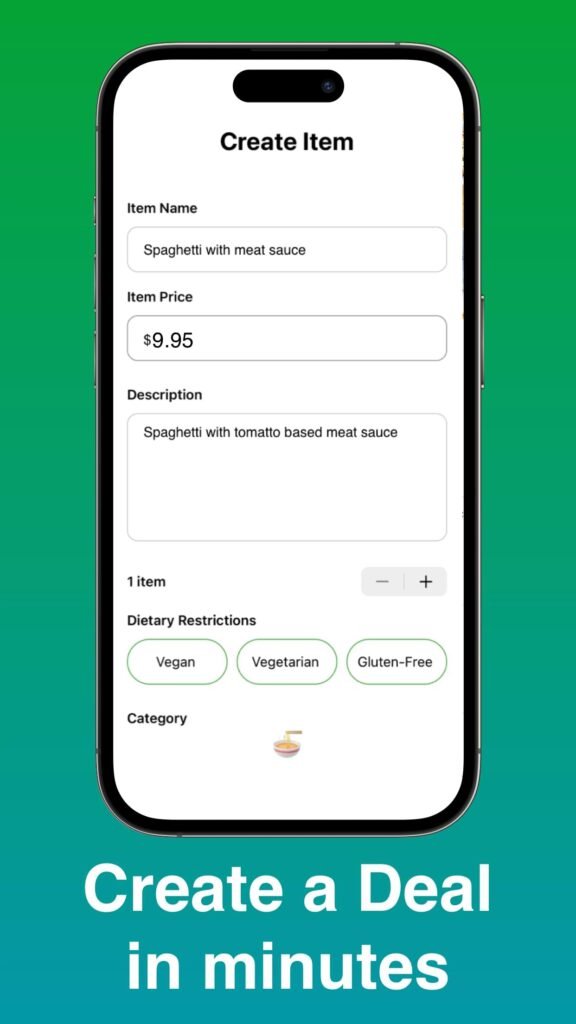
Step 2: Post Your Meal
This is where the magic happens. Posting items is how you get discovered by customers in San Pedro, Wilmington, Harbor City, and surrounding areas.
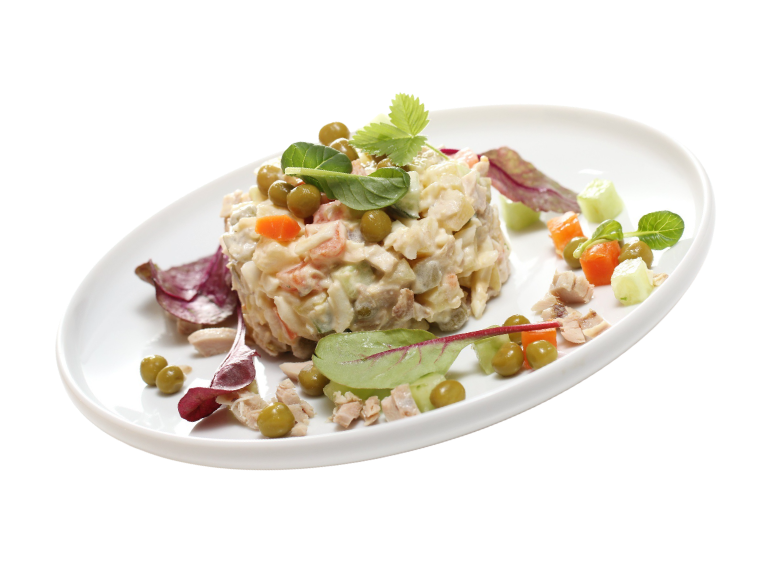
Good photos matter! Customers are 3x more likely to purchase from businesses with clear, appealing photos. You don’t need professional photography—your smartphone works fine. Just make sure lighting is good and items look appetizing.
Best Practices for Postings:
Real Example from a San Pedro Bakery:
Item: “Assorted Donut Box – 12 Pack”
Description: “Fresh donuts baked this morning. You’ll get an assortment of our favorites: glazed, chocolate frosted, old fashioned, and maple bars. Some may have minor imperfections (that’s why they’re discounted), but they taste just as delicious. Perfect for office snacks, after-school treats, or midnight cravings. Pickup today until 7 PM.”
Step 3: Customers Find and Purchase Your Items
Once you’ve posted items, here’s what happens on the customer side:
In-App Browsing
Customers browse available items by Location, Business type and Price range.
Search Functionality
Customers search for specific items. For Example “pizza in San Pedro”
The Purchase Process
- Customer sees your item
- Customer views your posting
- Customer taps "Purchase"
- You receive notification
- Customer receives pickup details
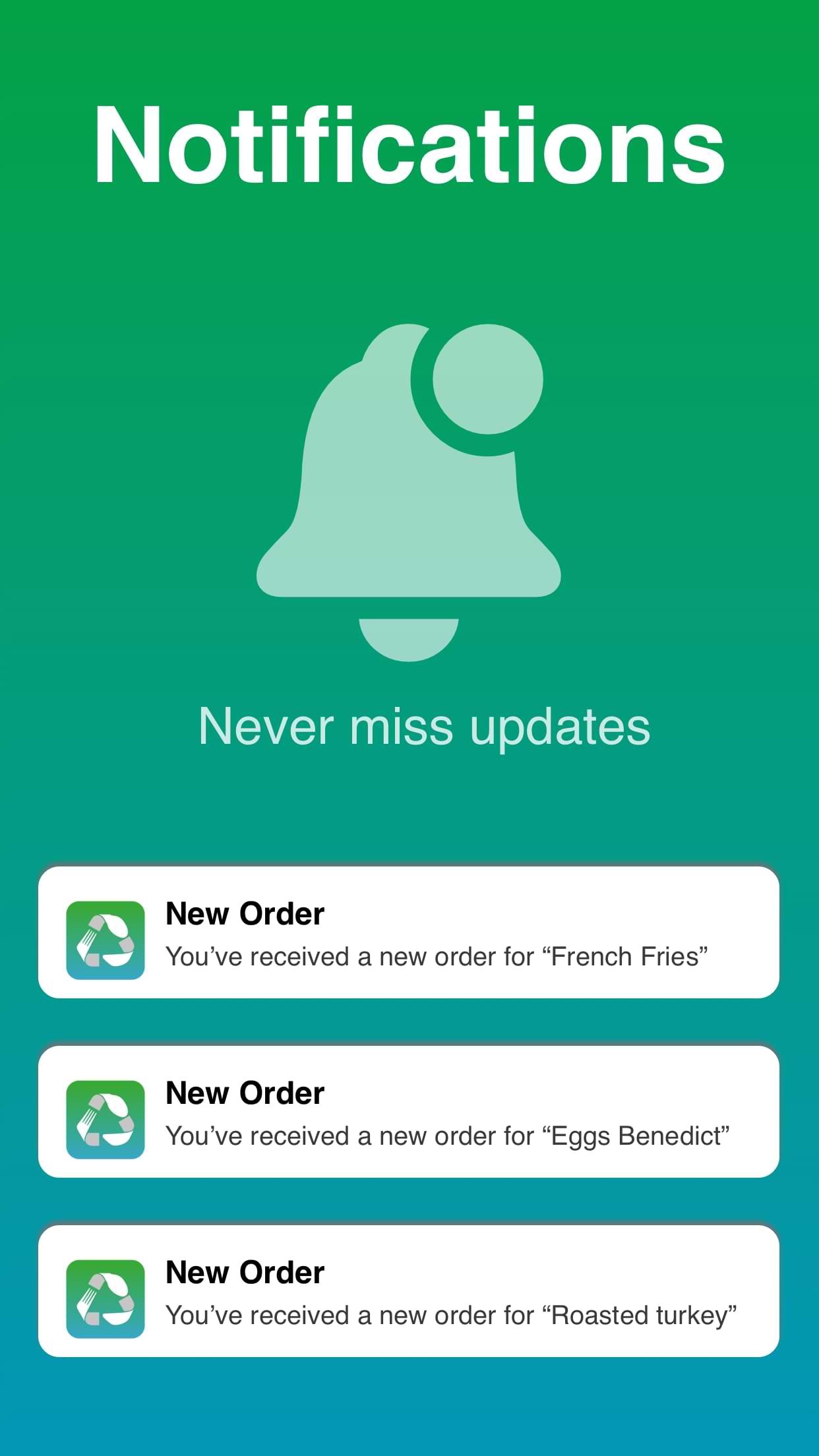
Step 4: You Receive Notification!
When a customer purchases your item, you receive:
– Customer name (for order fulfillment)
– Item purchased (what they’re picking up)
Download Available
Fulfill Customer Orders
Customers are coming to pick up their order. This is your opportunity to turn a deal-seeking customer into a regular. Quick, friendly interaction goes a long way.
What Customers Say About us
Customers who’ve expressed interest in your business type (bakeries, restaurants, etc.) receive instant notifications when you post new items. Maria’s donuts? Her regulars get notified within seconds.

Angel Jessica
Food Lovers
(5.0)
Pro Tips from San Pedro Restaurant Owners
Tip #1: Post Consistently
David (Wilmington Bakery):
“At first, I only posted when I had overstock—end-of-day items that weren’t selling. But I noticed the bakeries posting daily, regardless of inventory, were building regular customer bases faster. So I started posting 3-5 items every morning, even if they weren’t discounted much. Now I have morning regulars who check my postings daily like it’s a menu. Some buy the discounted items, plenty more buy full-price items because they’re already coming in.”
Takeaway: Use your postings as a daily menu, not just a clearance bin. Think of it as your daily specials board, broadcast to San Pedro and surrounding areas.
Tip #2: Include Photos for Every Posting
Maria (San Pedro Cafe):
“When I started, I was posting items with just descriptions—no photos. Sales were slow. Another business owner told me, ‘People eat with their eyes.’ So I started adding 2-3 photos for every posting. Close-ups, good lighting, showing
portion size. Sales literally tripled. Now I won’t post anything without photos.”
Takeaway: Photos are non-negotiable. Customers are 3x more likely to purchase from postings with clear, appealing photos. Your smartphone camera is sufficient—just ensure good lighting and show the item clearly.
Tip #3: Use Your Business Description to Build Trust
Carlos (San Pedro Restaurant):
“I kept my description generic at first—just ‘Restaurant serving Italian food.’ Changed it to tell my story: ‘Family-owned since 2012, Grandma’s recipes from Sicily, everything made fresh daily, no frozen, no shortcuts.’ Immediately
started getting more orders. Customers told me they chose me because they could tell I cared about quality. One customer even said, ‘I ordered because your description sounded like my grandmother’s cooking.'”
Takeaway: Your description is your pitch to customers. Tell your story. Explain what makes you different. Authentic, personal descriptions resonate with San Pedro customers.
Tip #4: Experiment with Pricing
Sarah (Wilmington Bakery):
“I was stuck at 30% off for everything because that’s what I thought I ‘should’ do. Then I tested: some items at 20% off, some at 40% off. Found that 20% off attracted better customers—more likely to return for full-price items. 40% off
moved inventory faster but customers were less likely to return. Now I price strategically: 20-25% off for most items, 40%+ only for items I just need gone.”
Takeaway: There’s no one-size-fits-all discount percentage. Test different price points, track results, adjust based on what works for your business and customer base.
Tip #5: Cross-Promote Your Other Offerings
Maria (San Pedro Cafe):
“When customers pick up discounted pastries, I always mention, ‘We also have full breakfast and lunch menus—here’s a menu to take home.’ Last month, 12 customers who initially bought discounted pastries returned for full meals. That’s
$480 in additional revenue I wouldn’t have had otherwise.”
Takeaway: Every customer interaction is an opportunity to build a broader relationship. Discount customers can become full-price regular customers if you introduce your full offerings.
Ready to Get Started?
You’ve seen how it works. You’ve heard from other San Pedro business owners. You understand the time commitment (minimal) and the potential results (significant).
The question is: are you ready to take action?
Here’s what to do next:
Step 1: Sign Up
The actual sign-up process consists of just a few simple steps. Enter your basic business information. You’ll create a password for your account, enter your payment information for the $49.99/month subscription, and click “Start Getting Customers.” That’s it, literally.
Option 2: Not Sure? Schedule a Quick Call
Talk to our San Pedro team. We’ll answer your questions, explain the platform, and help you decide if it’s right for your business. No sales pitch, just helpful information from locals who understand San Pedro businesses.
Schedule a 10-Minute Call
Common Questions (Quick Answers)
How long until I get my first customer?
Most San Pedro businesses see their first sale within 3-7 days of consistent posting. Businesses posting 3-5 items daily typically see faster results than businesses posting occasionally.
Do I need to be good at technology?
If you can use Facebook or Instagram, you can use this platform. Most business owners manage everything from their smartphones in 5-10 minutes daily. If you need help, our San Pedro team is available via phone or email.
Can I cancel if it doesn't work for my business?
Absolutely. No contracts, no cancellation fees, no penalties. You can cancel anytime from your account settings or by contacting us. No questions asked, no hard sell.
What if I have questions or problems?
Contact us. We’re based in San Pedro, not some overseas call center. Email us or call us during business hours. You’ll talk to a real person who understands San Pedro businesses.
Do I need to post every day?
You don’t have to, but consistent posting leads to better results. Think of it like any other customer acquisition activity—you get out what you put in. Most successful businesses post 3-5 items daily, which takes 5-10 minutes.
Can businesses use this if they're already on other platforms?
Yes. Many of our San Pedro business partners also use Grubhub, DoorDash, Yelp, or other platforms. We don’t require exclusivity. In fact, we encourage using multiple channels to maximize customer acquisition.